
Paste a copied link. URL Cleaner removes only parameters covered by conservative, versioned rules and keeps anything unknown or potentially functional.
Result
Removed
Kept
Bulk result
| Line | Status | Decision |
|---|
Custom cleaning rules
Custom rules are saved only in this browser. URL Cleaner does not save the URLs you clean or send these preferences to Elegant Matter.
Saved custom rules
No custom rules saved. Elegant Matter defaults are being used.
How URL Cleaner decides what to remove
Protection rules run first. Your custom Always keep and Always remove rules are applied next, followed by narrowly scoped Elegant Matter domain rules and an exact global allowlist of high-confidence tracking parameters. Unknown, ambiguous and functional-looking parameters are kept.
The cleaner preserves the raw representation of untouched query fields where practical: order, duplicates, blank values, fragments and existing percent encoding are not normalized just for appearance.
Rules version:
Use URL Cleaner in Chrome
URL Cleaner by Elegant Matter is also available as a Chrome extension. Clean the current page or another URL from the toolbar, use right-click actions on links, or optionally turn on Auto Clean for eligible clicked links.
Our guide to checking a Chrome extension before installing it explains how to review the publisher, permissions and privacy disclosures.
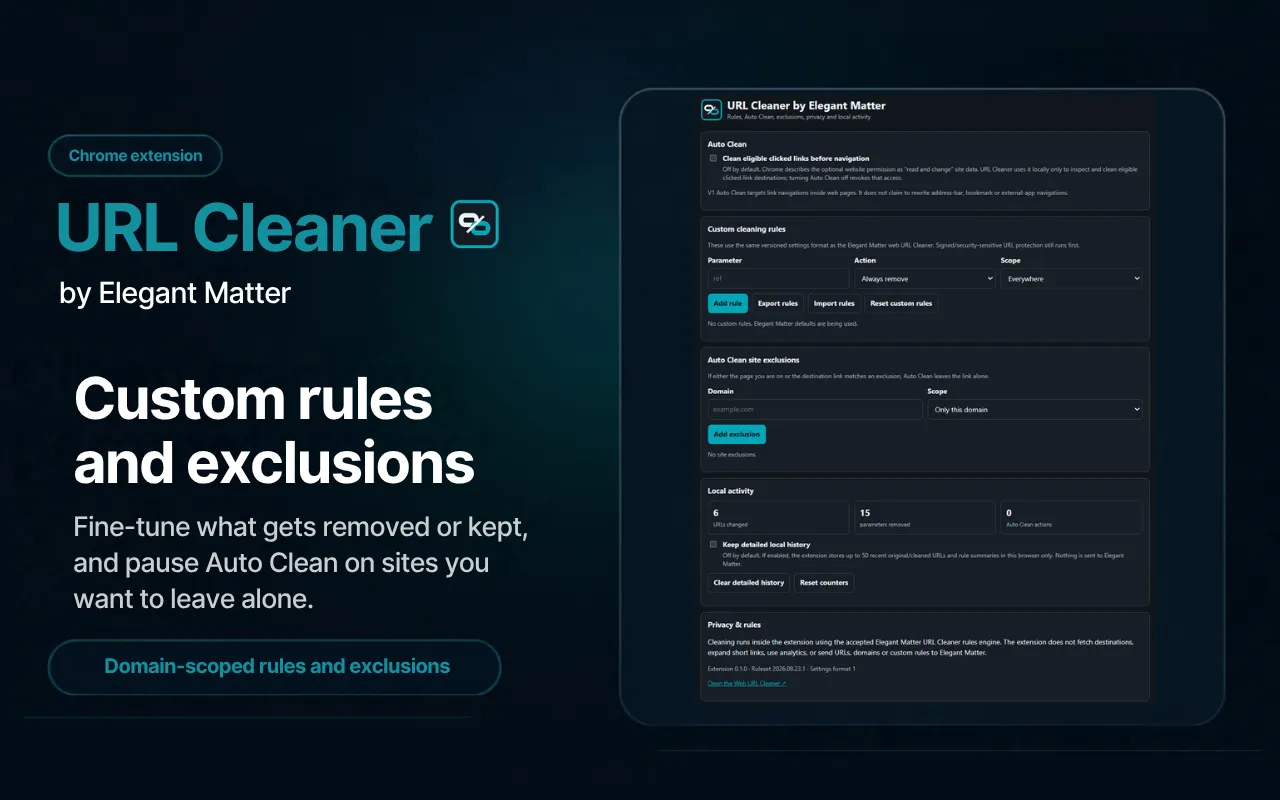
Your custom cleaning rules can move between the web Tool and the extension. Both use the same versioned rule/settings format, so you can export your Always remove and Always keep rules, including their domain scopes, from either version and import them into the other. Extension-only preferences such as Auto Clean remain separate.

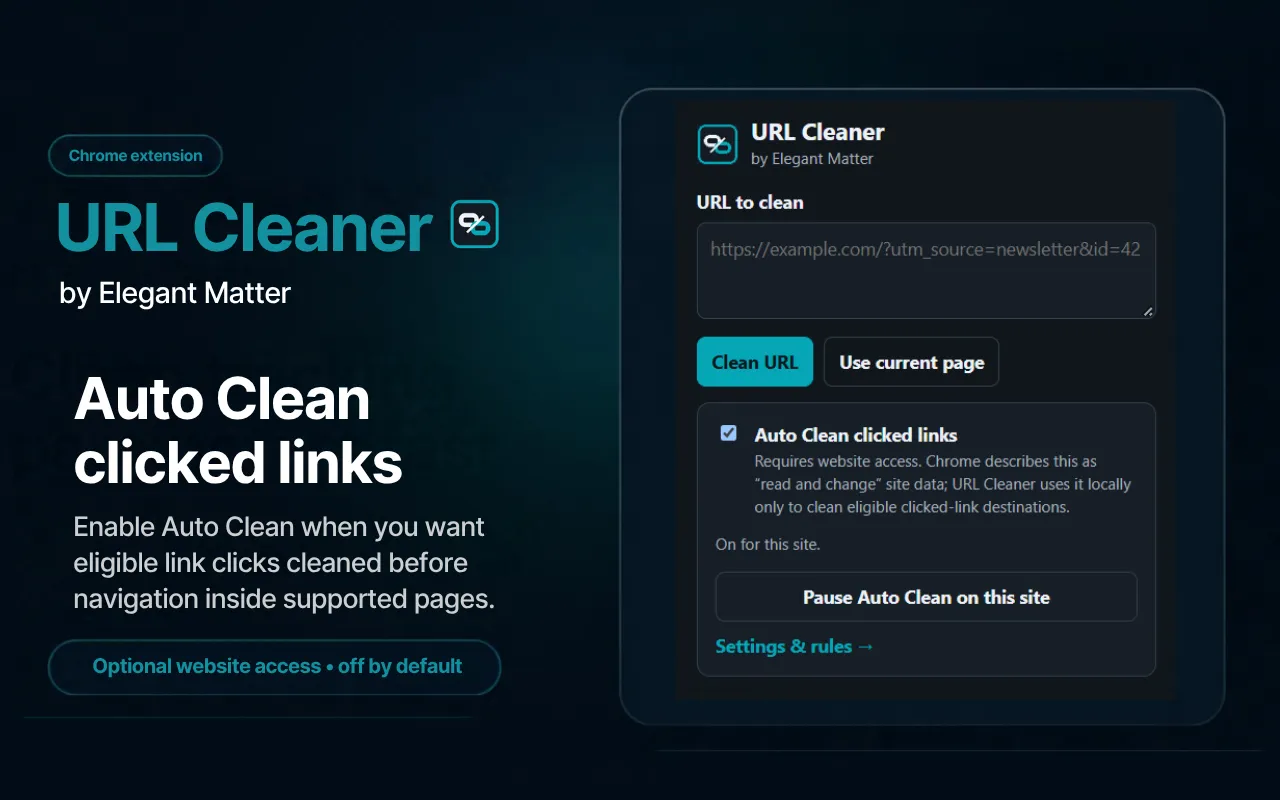
Remove UTM and tracking parameters from links
URL Cleaner works as a link cleaner for copied or shared URLs. It removes recognized tracking parameters used for campaign or click attribution, including standard UTM parameters and supported IDs such as gclid, fbclid, msclkid and ttclid. It does not strip every query parameter just to make a URL shorter.
Keep the parts that make a URL work
Unknown, ambiguous and functional parameters are kept by default. That includes search and pagination state, sort or filter settings, language and product options, media timestamps, authentication or routing data, and generic fields such as ref, source and id. If URL Cleaner cannot confidently classify a parameter as tracking, it leaves it alone.
Custom cleaning rules
Create your own rules when you know how a particular site uses its URLs. Choose parameters to always remove or always keep, apply a rule everywhere or only on a specific domain, and export or import your settings between browsers.
Recognized signed or security-sensitive links remain protected before ordinary custom removal rules are applied.
Local by default, conservative by design
Ordinary URL cleaning runs locally in your browser. URL Cleaner does not open the destination, follow short links or send the URL to a remote cleaning service. If you create custom cleaning rules, those preferences can be saved locally in your browser, but the URLs you clean are not stored as a persistent history by default.
Our test of tracking parameters in short links shows why cleaning a visible short address does not necessarily clean its stored destination.
Signed URLs that may break if their query string changes are protected when recognized. A cleaned URL only means recognized tracking or user-selected parameters were removed; it is not proof that the destination itself is safe.
Review what changed before you copy
After cleaning, URL Cleaner shows what changed, what was kept and why. Recognized removals are explained instead of disappearing silently, while unknown or ambiguous parameters remain visible as kept so you can review the result before copying it.
If nothing is removed, that can be the correct result: the remaining parameters may be functional, ambiguous or outside the current high-confidence ruleset.
Clean multiple URLs at once
Bulk mode lets you clean one URL per line while preserving input order and duplicate URLs. Each result shows whether the URL changed, stayed unchanged, was protected or could not be parsed, so you can review what happened before copying the output.
If the links are embedded in copied text, Paste X-Ray can show their destinations and help clean the surrounding rich-text formatting.
Explore other tools

Paste X-Ray
Inspect hidden formatting, link destinations and invisible characters in pasted text, then clean rich text while preserving useful structure.

Gamepad Tester
Test your controller's buttons, triggers and sticks, run a stick drift test, and inspect live gamepad input directly in your browser.