
Quick answer
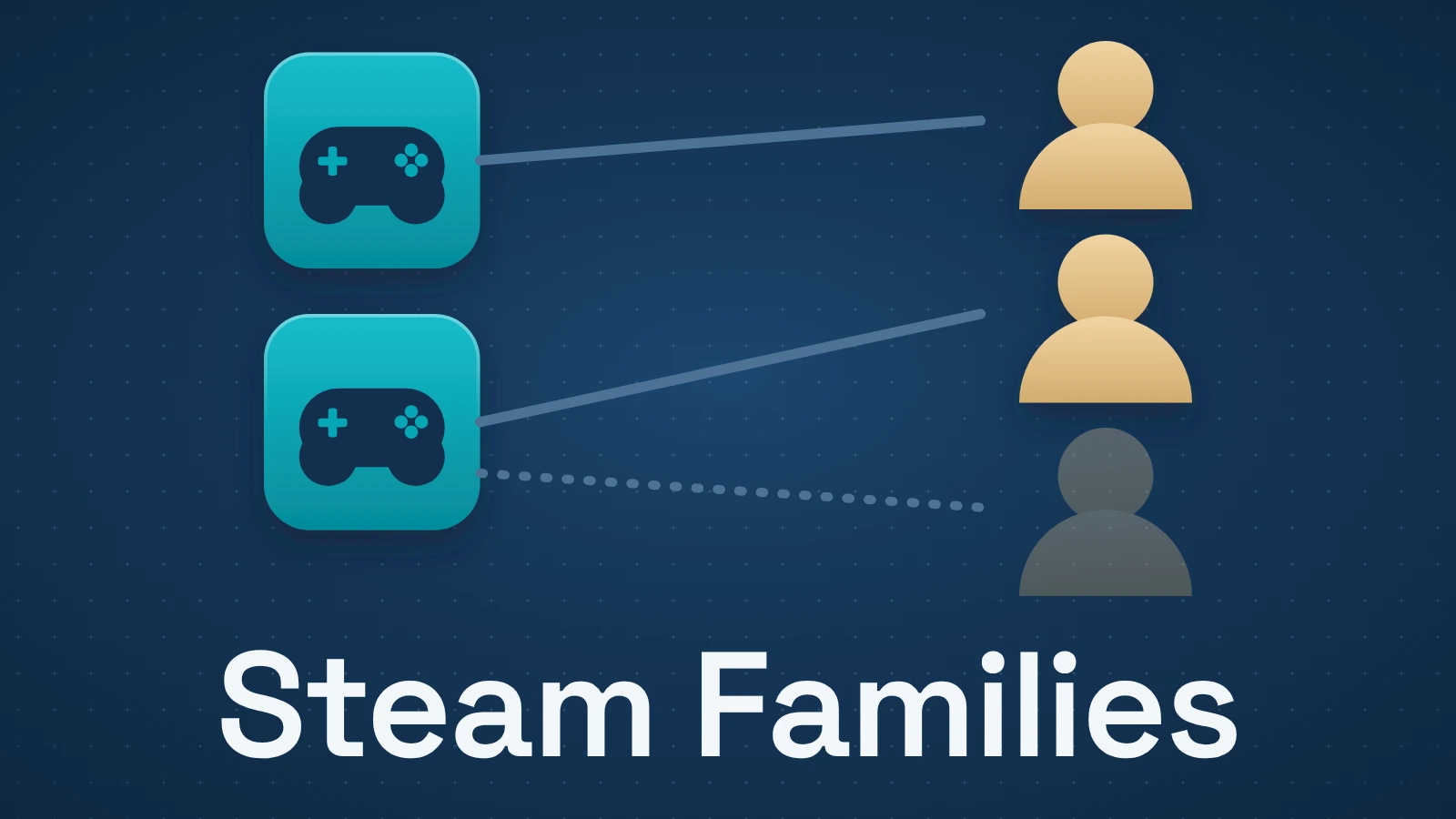
Steam Family Sharing is now handled through Steam Families. Family members contribute their shareable games to a combined library, and different people can play different games simultaneously. For the same game, simultaneous players are limited by the number of copies the family owns: one copy supports one player, two copies support two. DLC follows the specific copy you use, so switching to another family member’s copy can change which DLC is available and can affect save compatibility.
Contents
- What Steam Family Sharing is called now
- The rule that makes Steam Families make sense: count copies, not libraries
- Can two people play Steam games at the same time?
- What happens when your family owns multiple copies of the same game?
- How preferred copies and DLC work
- What happens to saves, achievements and Workshop content?
- Which games cannot be shared?
- Do shared Steam games work offline?
- Household rules, leaving a family and the one-year cooldown
- A simple Steam Families rules table
- What Steam Families does not change
What Steam Family Sharing is called now
Valve launched Steam Families as the replacement for both the old Steam Family Sharing system and Family View. The current feature combines game sharing with family-management and parental-control tools, although you do not need to understand those controls to understand the sharing rules.
A Steam Family can contain up to six members. Each member’s shareable games are added to the family library, while ownership stays with the person who bought the game. Family members keep their own saves and achievements. Valve also says users can access Workshop content for shared games.
That distinction matters because a family library is an access layer. Joining a family does not merge purchases into collective ownership, and another family member playing your copy does not transfer the game to their account.
The rule that makes Steam Families make sense: count copies, not libraries
The easiest way to reason about Steam Families is to ignore the size of anyone’s personal library and ask one question: how many shareable copies of this particular game does the family own?
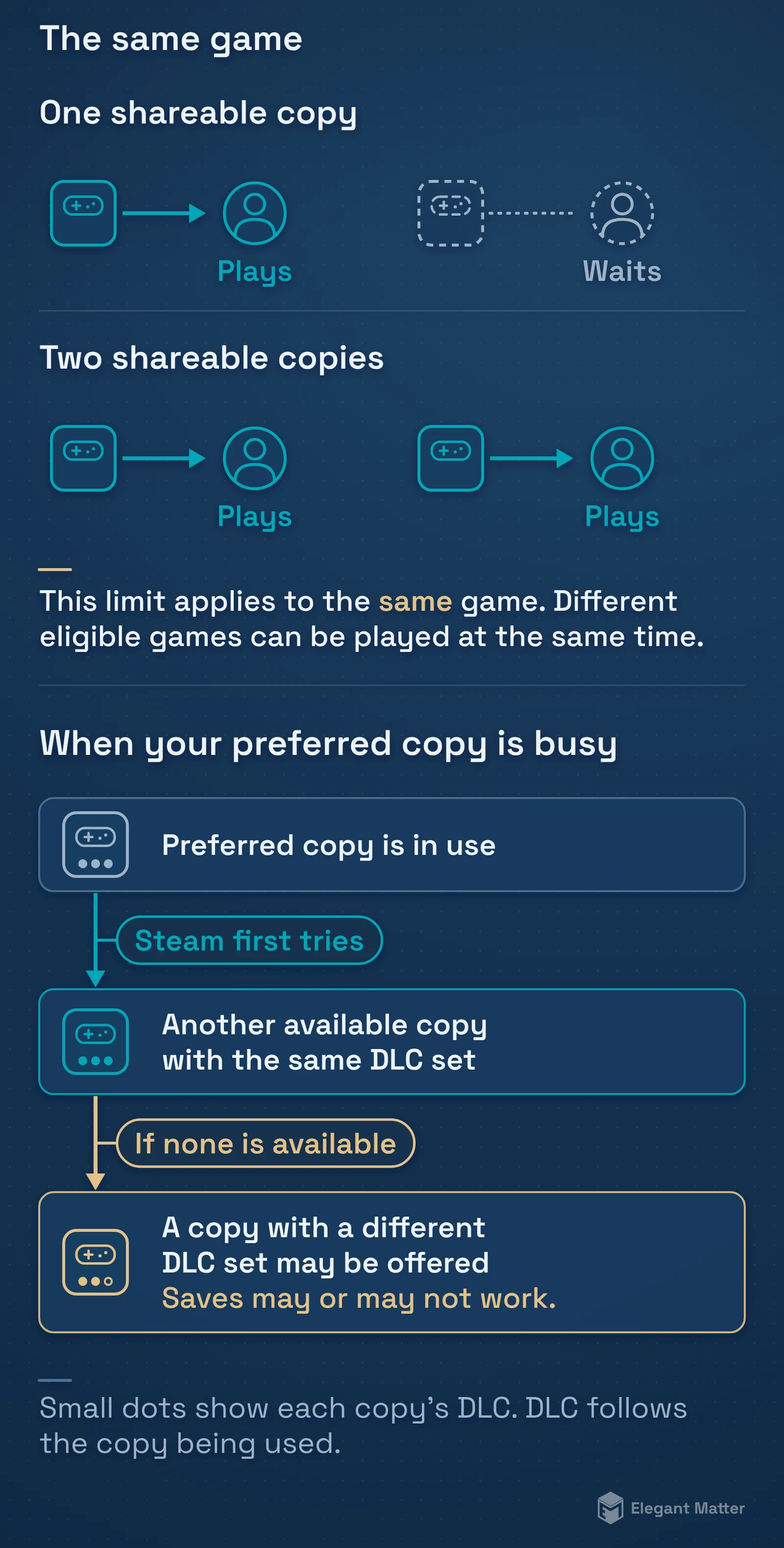
Suppose one adult owns Portal 2 and nobody else in the family does. The family library contains one shareable copy of Portal 2. One family member can use that copy at a time.
Now suppose a second family member also owns Portal 2. The family has two copies available through Steam Families, so two members can play Portal 2 simultaneously. Valve uses this same model in its launch documentation: multiple owned copies increase the number of family members who can play that game at once.
This is different from the old Family Sharing mental model, where using one game could make an owner’s broader library unavailable to another borrower. Steam Families allows concurrent use across the family library; the meaningful scarcity is the available copy of the specific game.
Can two people play Steam games at the same time?
Yes. Two family members can play different games from the family library at the same time, assuming those games are eligible for sharing.
Two family members can also play the same game at the same time when the family owns at least two shareable copies of that game. Three simultaneous players would require three copies, and so on.
What Steam does not do is turn one purchase into unlimited concurrent licenses. A family with one copy of a game still has one playable copy at a time. If every available copy is in use, another family member has to wait for one to become available or acquire another copy.
That also means “Can we both play at the same time?” has two different answers depending on what you mean. Different games: generally yes. The same game: yes only when the family has enough copies.
What happens when your family owns multiple copies of the same game?
Multiple copies are not collapsed into one generic entitlement. Steam tracks which family member owns each copy, and those copies can differ in important ways.
The biggest difference is DLC. One person might own the base game plus several expansions, while another owns only the base game. Steam lets a family member choose a preferred copy when more than one copy is available, and it remembers that preference.
That choice can matter even when every copy launches the same base game. You may prefer one person’s copy because it carries the DLC your save uses. Another family member may prefer a different copy because they want a different DLC combination or simply need an available license.
How preferred copies and DLC work
Valve’s current Steam Families FAQ says a shared user receives the shareable DLC associated with the copy they are using. DLC is therefore not pooled into one master family-wide bundle.
If you choose a preferred copy, Steam remembers it. When that preferred copy is already in use, Steam first tries to find another available copy with the same DLC set. If it cannot, Steam may offer a copy with a different DLC set instead.
That is where save compatibility becomes relevant. A save created while certain DLC is available may rely on that content. Valve warns that saves may or may not work when you switch to a copy with a different DLC set.
The safe way to describe this is not “switching copies breaks saves.” It can change the content available to the game, and the effect on a particular save depends on the game and DLC.
What happens to saves, achievements and Workshop content?
Steam Families does not make family members share one game profile. Valve says each person keeps their own saved games and earns their own Steam achievements while using a family-owned copy.
Steam Cloud troubleshooting still depends on the game’s own support, and games can have their own save systems or third-party accounts. Steam Families does not override those game-specific systems.
The same caution applies to downloadable content and online services. Steam can provide access to the license that belongs to another family member, but a publisher can impose additional requirements for a particular game or DLC.
Which games cannot be shared?
Family sharing is enabled by default for games and DLC on Steam, but developers can exclude content from Steam Families. Some titles also cannot work through family sharing because of technical or account requirements.
Valve specifically notes examples such as games that require an additional third-party account, key or subscription. Free-to-play games and their purchased DLC are also treated differently because the base game does not need to be borrowed from another family member.
If a game does not appear as shareable, do not assume the family configuration is broken. The game itself may be excluded or may depend on a separate entitlement that Steam Families cannot share.
Do shared Steam games work offline?
Valve says games from the family library can be played offline. That does not make every shared game an offline game.
A title can still require its own servers, launcher, third-party login or internet connection. Steam Families can make the Steam license available; it cannot remove requirements built into the game.
For an ordinary single-player game that supports Steam offline play and family sharing, the family system itself is not supposed to require continuous online access just because the copy came from another member.
Household rules, leaving a family and the one-year cooldown
Steam Families is intended for a household of up to six close family members. Valve distinguishes two cooldowns: an adult’s eligibility to join another family and a family’s eligibility to fill a slot.
An adult can leave at any time, but must wait until one year after joining the previous family to create or join a different one. For example, joining on March 1, 2026 and leaving on October 30 does not start a new one-year wait: the joining anniversary is March 1, 2027.
Family slots have a separate one-year restriction. Check the remaining time Steam displays when an invitation fails; do not calculate slot availability from an adult’s leaving date. Rejoining your last family is allowed without waiting if it has fewer than six members.
To set up sharing, open Account Details → Family Management, select Create a Family, then Invite a Member and choose Adult or Child. A failed invitation can reflect household eligibility, your account cooldown or a slot cooldown; Valve’s FAQ covers each case.
A simple Steam Families rules table
The table below is the compact version of the system.
| Scenario | What happens |
|---|---|
| Different games at the same time | Multiple family members can play different eligible games simultaneously. |
| One family-owned copy | One family member can play that game at a time. |
| Two family-owned copies | Two family members can play that game simultaneously. |
| Multiple copies with different DLC | The player can choose a preferred copy; available DLC follows the copy being used. |
| Preferred copy is busy | Steam looks for another available copy, preferring an identical DLC set; a different set may be offered with a save-compatibility warning. |
| Game excluded from sharing | It does not become available through the family library. |
| Offline play | Shared games can work offline when the game itself supports it; game-specific online or third-party requirements still apply. |
What Steam Families does not change
Steam Families is a sharing feature, not a transfer-of-purchase feature. The purchase stays with the original Steam account, while another family member receives temporary shared access to the eligible copy.
It also does not guarantee that every game is shareable, that every DLC combination is interchangeable, or that every game will work without its own online services. Those details belong to the game or publisher, not to the family library itself.
The useful mental model is narrower: the family library shows eligible copies from the household, and each available copy can serve one player of that game at a time. Once you understand that, simultaneous play, duplicate purchases and DLC selection stop looking like separate exceptions.