
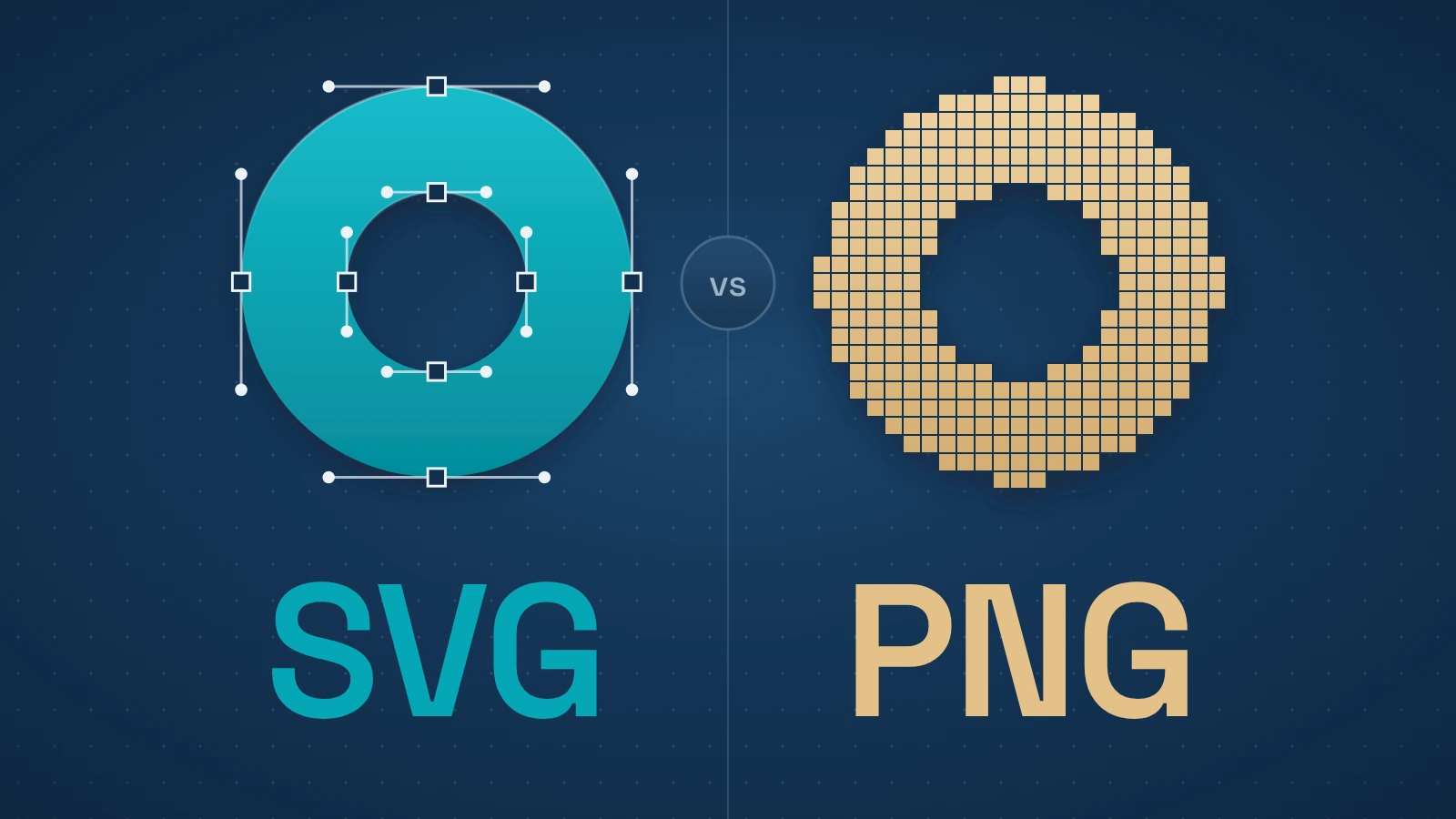
A logo may need to work in a small navigation bar, a large display and a print export. A screenshot has a fixed grid of pixels. Choosing between SVG and PNG starts with that source information, then the required size and destination.
Our nine-graphic export test makes the file-size tradeoff concrete: simple geometry favored SVG, while dense vector grids could favor PNG. Compression changed the comparison too. Those findings supplement the format guidance below; they do not test photos, browsers, WordPress or email clients.
Quick answer
Use SVG for genuine vector logos, icons and diagrams that need to scale. Use PNG for screenshots and raster artwork when lossless pixels or transparency matter. In our controlled exports, simple SVGs were smaller, but dense path artwork could favor PNG; dimensions and compression changed the comparison. Check the actual asset and destination. Photos usually suit JPEG, WebP or AVIF.
Contents
- SVG vs PNG: the difference that actually matters
- Which format should you use? A practical asset table
- Is SVG always smaller than PNG?
- What our nine-graphic export test showed
- When PNG is the better choice
- When SVG is the better choice
- WordPress, email and other deployment exceptions
- A simple rule that holds up
SVG vs PNG: the difference that actually matters
SVG is a vector format. The file describes shapes, paths, text and other drawing instructions rather than storing a fixed grid of colored pixels. MDN describes SVG as an XML-based open web standard for two-dimensional vector graphics. Because the browser redraws those shapes at the requested size, a clean vector logo can be rendered small on a button or large on a high-density display without the ordinary pixelation you get from enlarging a raster image.
PNG is a raster format. It stores a pixel grid and uses lossless compression, which means saving the file does not intentionally throw away image information in the way a lossy photographic format does. PNG also supports full alpha transparency and is widely supported across browsers.
What matters is the source information behind the file. A screenshot is made of pixels because it records what was displayed on a screen. Saving that screenshot inside an SVG file does not recreate the interface as vector geometry. A logo drawn as clean curves and shapes is the opposite: flattening it into a PNG fixes it to a particular pixel grid even though the original artwork could scale cleanly.
Which format should you use? A practical asset table
| Asset | Default | Why | Caveat / exception |
|---|---|---|---|
| Logo / simple brand mark | SVG | Clean vector geometry scales without raster pixelation | Use PNG if the destination rejects SVG or the only trustworthy source is raster |
| UI icon | SVG | Crisp at multiple sizes; preserves vector geometry | PNG when the icon is raster-native or the target platform requires it |
| Diagram / chart | SVG | Lines, labels and shapes stay accurate at multiple sizes | PNG if the source is actually a screenshot/raster export or the destination requires raster |
| Complex illustration | Depends | Vector source can scale, but path/filter complexity can make SVG heavy | Compare optimized outputs; PNG or WebP can win when the vector markup is very complex |
| Screenshot | PNG | Screenshots are inherently raster; PNG preserves sharp UI pixels losslessly | WebP may be smaller for delivery; putting pixels inside SVG does not make them vector |
| Photo | Usually WebP, AVIF or JPEG | Continuous-tone images usually compress far more efficiently in photographic formats | Use PNG only when lossless pixel data or transparency is genuinely required |
| Transparent raster artwork | PNG | Lossless raster detail plus alpha transparency | Use SVG only when a true vector source exists |
| Email graphic | PNG or raster fallback | Predictable broad email compatibility | SVG may work in parts of the client mix; test the actual audience before relying on it |
| WordPress / CMS asset | Depends | Browser support may be fine while the CMS upload policy differs | WordPress core does not list SVG in its default MIME map; use a deliberate sanitized workflow if SVG uploads are enabled |
The table is a default, not a law. A complicated illustration can behave very differently from a six-path logo even though both started as vector artwork. A CMS, email template or design workflow can also impose constraints that matter more than the format’s theoretical strengths.
Is SVG always smaller than PNG?
No. “SVG is smaller” is a useful pattern for simple vector assets, not a property guaranteed by the file extension.
A simple logo or icon can often be represented with a small amount of SVG markup. The same artwork saved as a large transparent PNG has to store pixels across the full canvas, so the vector version can be dramatically smaller while also scaling better.
Many individual shapes, embedded raster images or unnecessary editor metadata can increase SVG size. Gradients and filters are more nuanced: a short instruction can describe an effect that requires many pixels in a PNG. The extension or feature list alone cannot predict the smaller file.
PNG has the opposite tradeoff. It can compress flat-color graphics and screenshots well, especially when there are repeated areas and sharp edges. It is usually a poor default for photographs because continuous-tone photo data produces much larger lossless files than modern lossy image formats can achieve at visually acceptable quality.
For delivery, compare exports at the pixel dimensions you need and check the compression your server actually applies. Keep the vector source when future scaling or editing matters, even if a raster export is smaller for one placement.
Original research · Elegant Matter experiment, 12 Oct 2026
What our nine-graphic export test showed
On 12 Oct 2026, we compared nine original synthetic SVG graphics with PNG exports at 64, 256, 512 and 1024 pixels square. The corpus contained a simple mark, line icon, diagram, gradient, blur illustration, three dense vector grids and a PNG embedded inside SVG. We produced 36 exports and repeated the complete matrix.
The table shows every fixture at 256 × 256 pixels. SVG bytes describe the scalable source; PNG bytes describe that fixed-size render. Gzip columns are local level-9 compression simulations, not measured HTTP transfers, and exclude headers.
| Graphic | Raw SVG (bytes) | Gzip SVG (bytes) | RGBA PNG (bytes) | Gzip PNG (bytes) |
|---|---|---|---|---|
| Simple mark | 240 | 180 | 3,649 | 3,171 |
| Line icon | 304 | 215 | 9,030 | 8,838 |
| Diagram | 515 | 245 | 3,955 | 3,476 |
| Gradient | 395 | 267 | 9,147 | 8,914 |
| Blur illustration | 380 | 258 | 19,202 | 19,015 |
| 256-path grid | 11,656 | 2,045 | 2,059 | 1,639 |
| 1,024-path grid | 43,208 | 7,725 | 5,634 | 4,923 |
| 4,096-path grid | 172,680 | 29,869 | 19,070 | 18,312 |
| PNG inside SVG | 1,373 | 644 | 866 | 432 |
Simple geometry was compact as SVG in this corpus. The 1,024-path grid reversed the raw-byte comparison: 43,208 bytes as SVG versus 5,634 as PNG. Gzip reduced those to 7,725 and 4,923 bytes. For the 256-path grid, raw SVG was larger than every PNG export; gzipped SVG was smaller than raw PNG at 256 pixels and above. Comparing gzipped SVG with gzipped PNG produced a different result at 256 pixels. State which comparison you mean.
Export dimensions also mattered. The simple mark’s PNG grew from 965 bytes at 64 pixels to 17,314 bytes at 1024 pixels, while its SVG source remained 240 bytes. The PNG-in-SVG fixture retained its original raster payload; the wrapper did not recreate vector geometry.
How we ran and checked the test
We used Inkscape 1.2.2 to render page bounds and Pillow 12.3.0 to save lossless RGBA PNGs with optimize=True and compress_level=9. No palette conversion was used. We checked exact decoded RGBA channels against each renderer export, reopened every final file and verified byte-identical repeat outputs. Compact SVG sources were authored directly; neither format was exhaustively optimized.
These are findings from synthetic fixtures and one renderer/export recipe. Reduced raster dimensions can discard visual detail, so the sizes do not establish equivalent fidelity at every scale. We did not test photographs, browser speed, LCP, email clients, CMS compatibility or SVG sanitization. The results support comparing the actual asset, rather than selecting a universal format winner.
Download the study files and results (ZIP; 1.99 MB). The package includes all 36 accepted exports and their repeat outputs, with the failed-run recovery documented.
Our original synthetic fixtures, scripts and study results are available under CC0 1.0. Third-party software is not included.
When PNG is the better choice
Screenshots are the clearest case. A screenshot is already raster data. PNG preserves its pixels losslessly, including sharp UI text, lines and transparency when present. MDN specifically lists screenshots among the kinds of images for which PNG is a strong fit.
PNG also makes sense for raster artwork that needs an alpha channel and should not be recompressed lossily. Examples include a hand-painted transparent texture, a small image with hard-edged transparency, or a source export that must preserve exact pixel values.
Compatibility and workflow can override the ideal format. A downstream system may accept PNG but reject SVG, or the people editing the asset may only have a trustworthy raster source. In those cases, forcing SVG into the workflow can create more complexity than it removes.
Photos are the important exception to “raster means PNG.” They are raster, but PNG’s lossless compression usually makes them unnecessarily large. MDN recommends considering JPEG, WebP or AVIF for photographic content. Elegant Matter has a separate AVIF-vs-WebP comparison because that is a different decision from vector-versus-raster.
When SVG is the better choice
Logos, simple icons and clean diagrams are the obvious candidates when the original is vector.
A logo may appear in a small navigation bar, a large footer, a high-density display and a printed/exported context. An SVG can represent the same curves and shapes without requiring a separate 1x, 2x and 3x raster export for basic sharpness.
Icons have similar advantages. MDN’s image-format guidance recommends prioritizing vector versions of icons where they are available. SVG also works naturally for diagrams and charts that need to render accurately across different sizes.
For browser tabs and installed web apps, our guide to favicon sizes and icon requirements covers the assets and dimensions those surfaces need.
SVG can do more than scale. Because it is XML-based and integrates with web standards, SVG content can be styled or scripted in contexts that expose its elements. That does not mean every website should inline and animate every icon. For a normal image loaded through an img element, browsers intentionally restrict some SVG behavior such as JavaScript and external resource loading.
For most sites, SVG earns its place when the visual starts as vector geometry and needs to stay vector.
WordPress, email and other deployment exceptions
Browser support for normal SVG images is broad, but “the browser can render this file” is not the same as “every publishing system will accept it.”
WordPress is a useful example. Its current core MIME-type map includes common raster formats such as PNG, WebP and AVIF, but SVG is not in the default upload list. WordPress exposes MIME filters that plugins or custom code can use to add file types, which is why many WordPress sites can upload SVG after deliberate configuration.
WordPress’s default restriction also reflects a real security concern. SVG is XML and can contain active features in document contexts. A site that accepts user-supplied SVG needs an appropriate sanitization/security approach. For an editorial logo or icon, the practical takeaway is simply that WordPress may require an SVG-aware upload workflow.
Email is another exception. SVG support in email clients does not map cleanly to modern-browser support, and behavior can vary by client and account type. If an image must render across a broad email audience, a raster fallback is still a safer operational choice unless the actual client mix has been tested. This is a deployment constraint, not an argument that PNG is a better web format for vector artwork.
Other platforms impose their own export and upload rules. Social networks, document tools and third-party services may accept only certain formats. Choose the format for the asset first, then check the destination.
A simple rule that holds up
If you still have the original source, ask one question before exporting: is the image fundamentally shapes or fundamentally pixels?
For shapes—logos, icons, line diagrams and simple illustrations—keep the vector information and use SVG unless the destination gives you a reason not to.
For pixels—screenshots and raster artwork—use a raster format. PNG is appropriate when lossless detail or alpha transparency matters. For photos, move on to a photographic raster format instead of treating PNG as the default.
Keep useful vector source information for future scaling and editing. For delivery, compare the required export size and compression, then check what the destination accepts. Wrapping raster pixels in SVG does not turn them into vector geometry.
Sources and verification
- MDN. “SVG: Scalable Vector Graphics.”
- MDN. “SVG as an image.”
- MDN. “Image file type and format guide.”
- WordPress Developer Resources. “wp_get_mime_types().”
- WordPress Developer Resources. “upload_mimes.”
- Can I email. “SVG image format.”
- Elegant Matter. Original nine-graphic SVG/PNG export study, 12 Oct 2026: methods and limitations.